header
Classes and Private Workshops
 
Want to take your photography to the next level?
Tried using Photoshop only to find it frustrating or intimidating?
Not using Lightroom to its fullest potential?
I can help!
  • One-on-one classes and private workshops.
  • The focus is entirely on you and your individual needs.
  • Class and workshop times are based on your schedule.
  • You'll receive reference materials (where applicable).
  • Great value!


Photoshop Training


5 classes to get you started using Photoshop effectively and efficiently
  1. Getting Started in Photoshop
  2. Layers, Selections, and Masks
  3. Exposure Blending
  4. Unleash the Power of Smart Objects
  5. Fixing Problems using Photoshop

Two formats to choose from:

Video Learning Series click here
One-on-One Zoom Classes click here


Post Processing Milky Way Images


In this video series, I go through a complete workflow showng you how to get the most out of your Milky Way images. I use Lightroom, Photoshop, and various plugins.


Click here for more information


NEW! Complete Workflow Video Series

 
  In this series, I go through complete post processing workflows using Lightroom, Photoshop, and various plugins on 10 example images.  
 
  • Single exposure blend in Lightroom and Photoshop.
  • Milky Way image using Lightroom only.
  • Milky Way image using Photoshop only with advanced techniques.
  • Adding depth to an image.
  • Distortion correction.
  • Exposure blending in Lightroom only.
  • Luminosity blending.
  • Lightroom masking tools.
  • Advanced exposure blending in Photoshop.
  • Creative editing - The Adamski Effect.


Click here for more information


Lightroom Classic Classes

 
  Essentials Advanced  
 
  • Designed to give you the essential tools and techniques needed to get started in Lightroom.
  • Lightroom architecture and interface.
  • Setting up Lightroom.
  • File organization and keywording.
  • Backing up the catalog.
  • The Import process.
  • The Navigator panel.
  • Rate and filter photos.
  • Introduction to the Develop module.
  • Basic panel - white balance and tones.
  • Tone Curve panel.
  • HSL Panel - working with color channels.
  • Transform Panel - correct distortion.
  • Lens Corrections panel - remove chromatic abberations, apply lens profiles, and remove color fringes.
  • Effects panel - add or remove vignetting.
 
  Click here for more information and to register... Click here for more information and to register...  
 

Instructional Video Series: Processing Milky Way Images

 
  Photograqphing the Milky Way is challenging but also extremely rewarding. Modern digital cameras see far more in the night skies than we do with our own eyes. Raw Milky Way images contain even more details and colors which is where post processing comes in.

In this video series, I go through a complete workflow showing you how to get the most out of your Milky Way images. My workflow includes Lightroom, Photoshop, and various plugins. The cost for this video series is only $17.95.

Click here for complete details.


Private workshops

 
  Visiting Oregon and want a guided photography tour? I know many great locations not found in tour books.
Want one-on-one instruction to take your photography to the next level? Workshops are one of the best ways to learn photography. Private workshops focuses the attention entirely on you!
 
  Rates:
  • * $70/hour - 2 hour minimum (within 50 miles of Portland, OR)
  • * $95/hour - 2 hour minimum (50-100 miles from Portland, OR)
  • $TBD - longer distance or multi-day workshops
  • * I DO NOT charge for travel time - just instruction time
 
  E-mail me at discoverthelightphotography @ gmail.com
(remove spaces before and after @) to arrange a private workshop.


PhotoPills and The Photographer's Ephemeris

 
  PhotoPills TPE  
 
  • One 2-hour class (only $55).
  • Panels and navigation.
  • Set shooting location and shooting direction.
  • Using the Planner.
  • Using maps.
  • Search and save locations.
  • Undertanding sun and moon position.
  • Field of view.
  • Depth of Field.
  • Tips and tricks.
  • One 2-hour class (only $55).
  • Panels and navigation.
  • Set shooting location and shooting direction.
  • Understanding the event timeline.
  • Using maps.
  • Search and save locations.
  • Undertanding sun and moon position.
  • Using geodesics (line of sight).
  • Tips and tricks.
 
  Click here for more information and to register... Click here for more information and to register...  
 

TK9 Plugin for Photoshop


About the class:
  • Two classes (90 minutes each)
  • Class 1 - TK9 Intro and built-in actions
  • Class 2 - TK9 Luminosity Masks
  • ONLY $95!


Click here for more information and to register...
Features of the TK9 panels:
  • Create pixel-based luminosity masks
  • Create color-based masks
  • Create vibrance and saturation-based masks
  • Modify the masks with several tools (levels, curves, expand, contract, boolean operations, etc.)
  • Output the masks as selections, masks applied directly to existing layers, dodge and burn layers, adjustment layers, etc.
  • Modify an existing mask through Layer Mask mode
  • Buttons for Photoshop adjustment layers
  • Buttons for useful actions (inverse, deselect, select & mask, hide selection, save selection, etc.)
  • Buttons for useful filters (Adobe Camera Raw, Gaussiuan blur, Content Aware Fill, etc.)
  • Buttons for layer blending modes
  • Buttons for paint brushes
  • Zoom control buttons (fit, 100%, zoom in, and zoom out)
  • Buttons to add new layer, copy/duplicate layer, convert layer to smart object, merge layers, delete layers, invert masks.
  • Built-in actions for stacking, aligning layers, the Orton Effect, clarity, Make-it-Glow, darks and lights triple play, much more.
  • Add your own actions


General Classes

  Have something else in mind? Below are some subjects designed to hone your photography skills, learn something new, expand your post processing skills, or just learn something new.  
  To sign up for a one or two hour session:
  1. Click one of the "Pay Now" buttons to the right.
  2. Once payment is received, you will be contacted to find out what subject(s) you're interested in.
  3. Together we will determine a time and date that best fits your schedule.
1 hour session ($65)

2 hour session ($120)

 
  Photography Post Processing
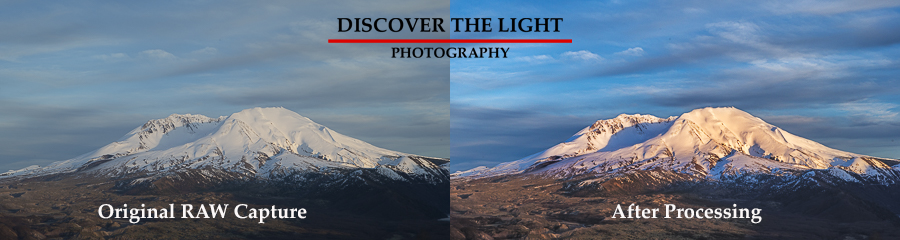
Click here to see before and after examples
 
  Basic Photography
  • Understanding exposure
  • How to achieve sharp focus
  • Composition basics
  • Choosing the right gear
Introduction to Lightroom
  • Importing and file organization
  • Develop Module basics
  • Exporting your images
 
  Advanced Photography
  • Mastering long exposures
  • Understanding depth of field
  • Advanced focus techniques
  • Using filters
  • Exposure setting for high dynamic scenes
  • Using aperture, shutter speed, manual, and bulb modes
Introduction to Photoshop
  • Integration with Lightroom
  • Creating and using layers, masks and selections
  • Custom workspaces
 
  Night Photography
  • Getting exposure right
  • Understanding the histogram
  • Focus techniques
  • Light trails
  • Zoom blur
  • Gear (tripods, lenses, etc.)
Advanced Lightroom
  • Keywording
  • Using presets to save time (import, develop and export presets)
  • The power of local adjustments
  • Sharpening and noise reduction
  • Lens corrections
  • Targeted Adjustment Tool
  • Color and luminance range masks
 
  The Photographer's Ephemeris
  • Powerful app for planning sun and moon light and direction
  • Using TPE maps
  • Finding and saving locations
  • Using Geodesics (line of sight)
  • Using Night Mode to plan Milky Way shoots
  • Much more
Advanced Photoshop
  • Creating, modifying and using selections
  • Non-destructive editing using layers
  • The immense power of luminosity masks
  • Paint with light and color
  • Smart objects
  • Channels - what are they used for?
 
  Photographing the Milky Way
  • Choosing the right gear (cameras, lenses, tripods, other)
  • Getting exposure right
  • How to set focus for tack sharp images
  • Composition
  • Post processing
Mastering the TK8 Panels in Photoshop
  • Luminosity masks
  • Zone masks
  • Rapid masks
  • Color masks
  • Infinity masks
  • Rapid mask modification tools
  • Actions
  • Creative actions
  • Using layer mask mode
  • Dodging and burning
  • Sharpening
 
  Your Choice
  • A subject not listed here
  • A combination of items listed here
  • You decide!
Exposure Blending in Photoshop
  • Exposure blending with one or two photos
  • Effective use of selections and masks
  • Use the Select and Mask tools to get your selections right
  • Blending modes
  • Smart Objects
  • Dodging and Burning
  • Luminosity masks
 
Instagram    This site created and maintained by Gregg Kerber. Copyright © 2010. All rights reserved.